Tooth-level charting
Every tooth, every treatment, and condition marking, recorded on your device, not a paper card.
 DentVault
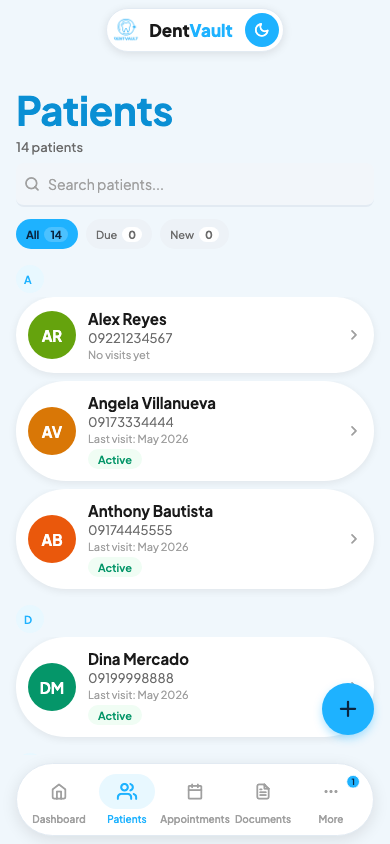
Patients, appointments, dental charts, payments, and documents in one app that works with no internet. No cloud, no subscriptions, no monthly fees.
Free to try · one-time license · works fully offline
DentVault Go · clinic management
The same app that runs on the clinic phone ships today. None of this is a roadmap.
Every tooth, every treatment, and condition marking, recorded on your device, not a paper card.
Prescriptions and medical certificates with PDF export, signed on the device — templates you review and finalize before saving.
Appointment and payment reminders over SMS, WhatsApp, Email, or Viber — the text opens pre-filled in the messaging app your patient already uses, with no online gateway or per-message fees.
Admin, dentist, and staff roles with a full audit log.
Device-only storage, safe encrypted backups, TOTP, and biometric unlock.
Your whole practice on one Android device, with no cloud dependency and no monthly fee.
Most clinic software needs a live internet connection and charges monthly. Here is how DentVault Go compares, honestly.
Simple and cheap, but everything is manual and the records stay in the clinic.
Powerful when the internet is up, and the subscription never ends.
One device you own, no internet required, and one payment.
DentVault Go is a web app you add to your home screen. It installs directly from this page, keeps working with no internet once it's there, and its records are stored permanently on your device.
Works on any Android browser.
Why the home screen matters: launching the installed app gives it permanent, persistent storage — your records stay on the phone even under storage pressure.
Add it from Safari's share menu.
Especially on iPhone: launching from the Home Screen is what makes iOS keep DentVault Go's storage permanently. A rarely-opened Safari tab can be cleaned up — the installed app cannot.
Chrome or Edge on Windows and Mac.
Pinned apps run in their own window with persistent storage — and the same offline database the phone uses.
Already on your home screen? Just open it. Picky about how it runs on your device first? Try the free demo.
Pay once, own the app, and keep it running offline for as long as you need.
Full app on one device, yours forever.
DentVault Go ships publicly. Join the list and we will email you the moment v1 is available for your clinic.
Clear answers on how DentVault Go runs offline, where records live, and how the waitlist works.
Yes. DentVault Go runs and saves entirely on the device. Reminders open pre-filled in your choice of SMS, WhatsApp, Email, or Viber — the phone's own messaging apps handle delivery, so there is no online gateway and no per-message fee.
On your device, in an offline database. Backups are encrypted, you keep control of them, and nothing is sent to a cloud server.
Your records always live on the device, never in the cloud. Installing via the home screen is what makes the browser treat them as permanent storage. On iPhone this is what matters most: a Home Screen app keeps its storage for good, while a Safari tab you rarely open can be cleaned up. Android and desktop apps get permanent storage automatically. And whatever you're using, your encrypted backups are the real safety net.
On-device storage with encrypted backups, password-based login with strict key derivation, optional TOTP two-factor authentication, biometric unlock where supported, and a full audit log.
Yes. The live demo is the full app in your browser — explore it freely, then install it from the install section.
Install it right from this page on your phone or desktop — it runs fully offline. For a native Android build with deeper device features, join the waitlist and we will email you when it is ready.
Join the waitlist above, or email us directly. Either way, you talk to a real person.